Shipping jQuery 4.0 in Modern Builds: A Step‑by‑Step Migration and Tooling Playbook
jQuery 4.0 leaves the Internet Explorer era behind and aligns its distribution with modern bundlers and evergreen browsers. That shift unlocks smaller payloads and simpler paths through the code—real wins for teams that still rely on jQuery and its plugin ecosystem. The challenge is upgrading production code with minimal risk while keeping performance budgets tight and developer ergonomics strong.
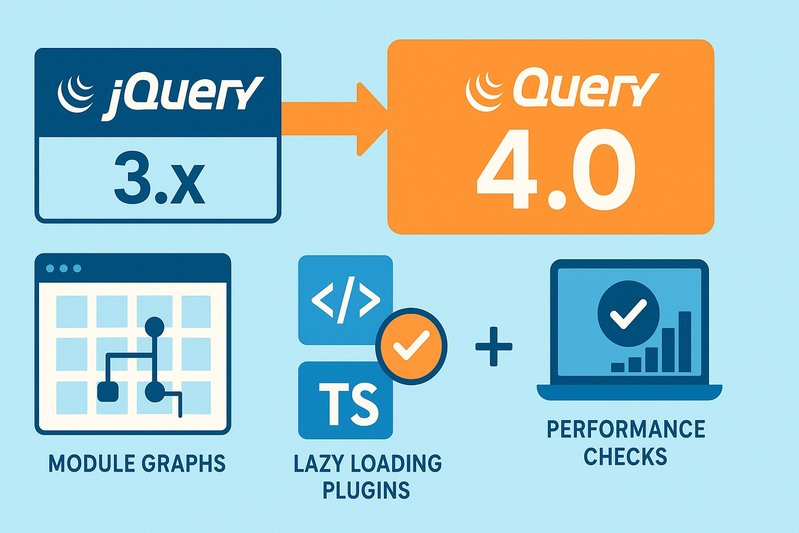
This playbook lays out a practical, low‑drama path from 3.x to 4.0 that you can execute in sprints. It focuses on the levers that matter in 2026: clean module graphs for ESM‑first builds, one—and only one—jQuery instance at runtime, plugin isolation via lazy loading, TypeScript for safer refactors, and targeted tests that catch behavioral drift early. You’ll learn how to establish scope and safety nets, clear deprecations on 3.x with migration warnings, audit your plugin surface, configure bundlers to avoid duplicate copies, modernize opportunistically, and roll out with canaries and clear rollback paths.
Architecture/Implementation Details
1) Establish scope and safety nets
Set the ground rules first. Define your supported environments (evergreen Chrome, Edge, Firefox, Safari) and test targets. If you must support legacy browsers such as IE, stay on jQuery 3.x; 4.0 intentionally drops IE‑specific code paths.
Build or refresh an integration test suite that covers likely regression zones:
- Complex selectors and traversal
- Delegated event handlers and namespaces
- Animation flows that depend on effect timing
- AJAX sequences and error/timeout behavior
Add lightweight performance probes to capture page weight and early interaction latency. Even if specific metrics are unavailable ahead of time, these numbers become your sentinels as you iterate.
2) Upgrade in place on the latest 3.x and enable migration warnings
Before jumping to 4.0, bump to the latest 3.x (for many teams, 3.7.x) and enable the official migration helper in development. Run high‑coverage scenarios and capture all console warnings. Convert each warning into a tracked task with owners and acceptance criteria, then clear them methodically. This step turns implicit dependence on removed or changed behaviors into explicit, fixable work.
3) Audit plugins and assign dispositions
Inventory every plugin and categorize by maintenance status: actively maintained, stale but functional, or abandoned. For stale or abandoned items, pick a path:
- Replace with a modern alternative
- Fork and fix internally
- Isolate behind a boundary and defer replacement
Document exit criteria to avoid carrying indefinite technical debt.
4) Prepare bundler configuration for a clean module graph
Modern ESM‑first toolchains (Vite, Rollup, Webpack) prefer direct ESM consumption without legacy wrappers. Ensure imports resolve to the modern entry intended for evergreen builds. Configure deduplication so the application has a single jQuery instance; multiple copies introduce hard‑to‑debug bugs, especially where plugins mutate the shared $ object.
Where legacy plugins expect a global, avoid permanently exporting window.$ in production. During transition, either expose a global only in development or provide a tiny adapter that reads the imported instance and assigns it deliberately to a known global. The goal: explicitly control when and how the global exists while you move the ecosystem to module‑aware consumption.
5) Enforce peer relationships for plugins
Treat jQuery as a peer for plugin packages so the host application dictates the version and instance. In monorepos, enforce a policy that blocks multiple transitive copies. Use your package manager and CI to fail the build if a second copy sneaks in. This guarantees a single, canonical $ at runtime.
6) Isolate and lazy‑load plugin‑dependent features
Create explicit boundaries—routes, tab panes, or modal entry points—around features that require plugins. Convert these boundaries into lazy chunks with dynamic import and ensure that each chunk imports both jQuery and the plugin together, binding the plugin to the same instance every time. Preload on user intent (hover, focus, in‑viewport) to smooth interaction without bloating initial load.
7) Modernize surface areas opportunistically
Keep using jQuery where it provides the most value, but modernize the edges as you touch them:
- Selectors and DOM: Evergreen browsers expose fast native selectors. The biggest cost in jQuery remains wrapper objects and normalization. Prefer direct DOM access in hot paths when feasible.
- Events: Native addEventListener—with its options—is lean. Use it when you don’t need jQuery’s delegation and namespacing conveniences.
- Animations: Favor CSS transitions/animations or the Web Animations API for better throughput; keep imperative effects only where control logic requires them.
- Networking: For new flows, prefer fetch with AbortController and async ergonomics. Keep $.ajax where plugins rely on its jqXHR/Deferred semantics.
8) Integrate TypeScript deliberately
Add the maintained type definitions to get IntelliSense, overloads, and nullability checks. Ensure your tsconfig includes the right DOM libs for your browser targets. Where practical, add focused generics to describe element collections. For legacy code that leans on broad any types, tighten types at module boundaries first, then move inward.
9) Guard against behavioral drift with targeted tests
Design tests that flag subtle regressions without being flaky:
- Selectors: Assert the matched elements and their order.
- Events: Verify that namespaced handlers attach, fire, and detach correctly, including delegated cases.
- Effects: For any effects you keep, assert final state rather than intermediate frames.
- Networking: Verify success, error, and timeout paths independently, and include an abort scenario.
10) Validate builds and observability before rollout
Confirm that development, staging, and production builds each include exactly one instance of the library. In development, add runtime assertions that verify plugin attachment to the expected instance. Configure logging to capture unexpected deprecation messages or plugin initialization failures during canaries.
11) Roll out incrementally with canaries
Ship to a small slice of traffic, watch error budgets and key journeys, and expand gradually. Maintain an immediate rollback path. When canaries are clean, remove the migration helper from production builds to eliminate overhead and console noise.
12) Capture and socialize outcomes
Record bundle diffs (regular vs slim builds if relevant), test pass rates, incident counts, and time‑to‑fix metrics. Share a short write‑up with lessons learned, plugin dispositions, and remaining debt with owners and dates. This captures institutional knowledge and reduces the next upgrade to a routine change.
Comparison Tables
What to change, why it matters, how to verify
| Guardrail | Why it matters in 4.0 | How to verify |
|---|---|---|
| Single jQuery instance | Plugins mutate and extend the shared $ object; duplicates break assumptions | Bundle analysis, import graph checks, runtime assertion in dev |
| Module‑first imports | Modern distribution fits ESM pipelines and avoids legacy wrapper overhead | Build logs, absence of UMD/CJS shims in chunks |
| Plugin as peer dependency | The app dictates version/instance; avoids transitive duplicates | Package manager policy, CI check for multiple versions |
| Lazy‑load plugin islands | jQuery and plugins are not tree‑shakeable; code splitting is the main lever | Route/chunk size diffs, TTI measurements (specific metrics unavailable) |
| Migration warnings cleared on 3.x | Removed APIs and tightened behaviors are surfaced early | Zero console warnings with migration helper in dev |
Networking and animation choices during migration
| Surface | Keep for compatibility | Prefer for new work | Notes |
|---|---|---|---|
| Networking | $.ajax (jqXHR/Deferred semantics) | fetch + AbortController | Use fetch for async/await ergonomics; keep $.ajax where plugin semantics are required |
| Animations | jQuery effects for imperative control | CSS transitions/animations or Web Animations API | Yields better throughput and lower main‑thread load |
| Events | jQuery helpers for delegation/namespacing | Native addEventListener with options | Use native where convenience layers aren’t needed |
Best Practices
- Anchor your plan on a clean run with the migration helper on the latest 3.x. Every warning you clear is a regression avoided when switching to 4.0.
- Prefer the slim build if you don’t need AJAX or effects; it remains the largest size lever within the jQuery distribution.
- In ESM‑first builds, ensure bundlers resolve to the modern entry and deduplicate to one instance.
- Treat jQuery as a peer in plugin packages; never let a plugin drag in its own copy.
- Isolate plugin‑dependent features behind lazy boundaries so jQuery stays off your initial critical path.
- When touching networking, animations, or events, modernize opportunistically: native DOM/Fetch and CSS/Web Animations reduce overhead compared with broad abstraction layers.
- Use TypeScript definitions to reveal overloads and nullability issues; tighten types at boundaries first for quick wins.
- Write targeted tests that check outcomes (final DOM state, event fire/detach, AJAX error/timeout handling) rather than fragile intermediate steps.
- Add runtime checks in development to confirm plugin attachment to the expected $ instance and to surface any unexpected deprecations.
- Roll out with canaries and keep rollback immediate. When clean, remove the migration helper from production to cut noise and overhead. ✅
Conclusion
Upgrading to jQuery 4.0 can be a controlled, low‑drama change when you approach it as an engineering playbook, not a leap of faith. The core API remains familiar, but the drop of IE and modern packaging let teams ship less code and interop cleanly with ESM‑first toolchains. The key is sequencing: clear deprecations on the latest 3.x with migration warnings; audit and isolate plugins; enforce a single jQuery instance; code‑split plugin islands; modernize networking, events, and motion where you touch them; and validate with targeted tests and canary releases.
Key takeaways:
- Clear migration warnings on 3.x before switching to 4.0.
- Enforce a single jQuery instance and treat plugins as peers.
- Isolate plugin‑dependent features and lazy‑load them.
- Prefer fetch and CSS/Web Animations for new work; keep $.ajax and effects where semantics or control require them.
- Use TypeScript definitions and targeted tests to catch drift early.
Next steps:
- Enable migration warnings on your current 3.x build and turn each console warning into a tracked task.
- Analyze your module graph to confirm a single jQuery instance and plan lazy boundaries for plugin‑heavy features.
- Pilot fetch and CSS/Web Animations in one or two fresh flows to validate ergonomics and performance.
- Add CI checks to prevent duplicate jQuery copies and to fail builds if plugin packages attempt to bundle their own instance.
Looking ahead, the healthiest pattern is to keep jQuery where it provides leverage—especially with legacy plugins—while modularizing the rest of the stack. With the above guardrails, the move to 4.0 becomes routine maintenance rather than a risky rewrite.